GOS — the gate that reads every truck, container and seal, then clears the lane on its own
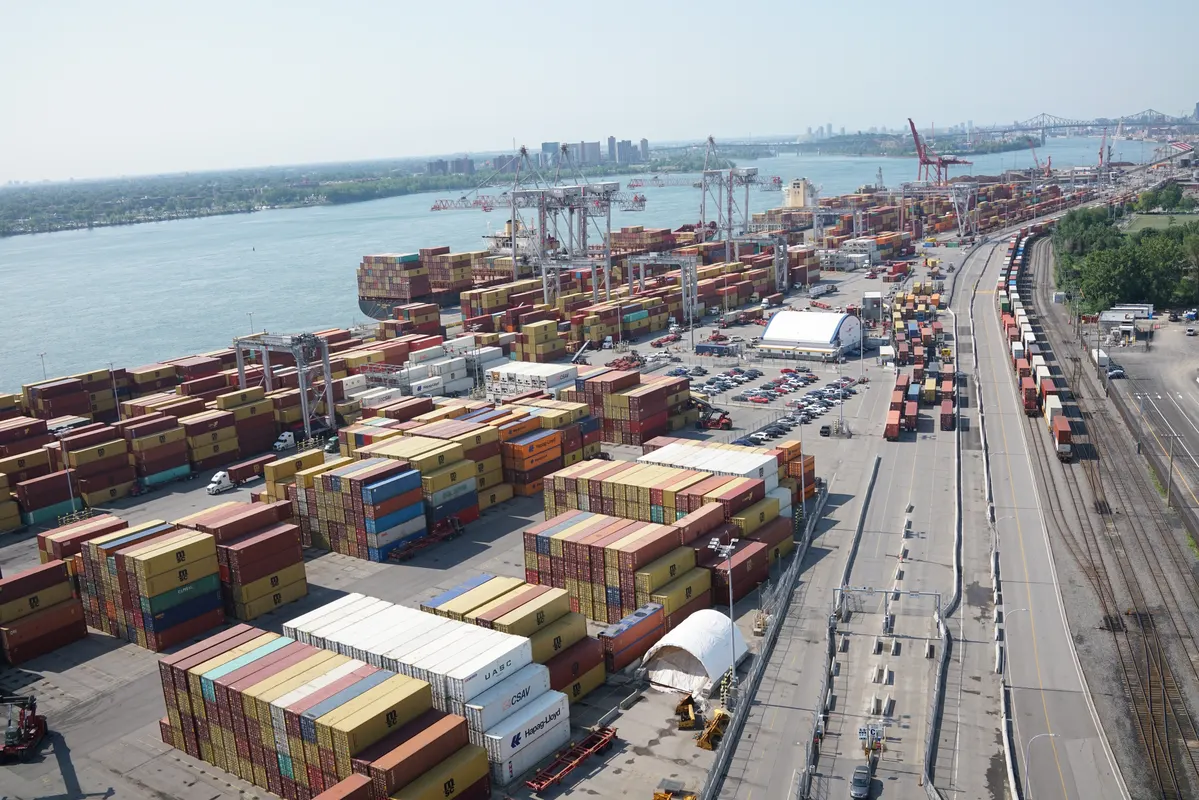
At the gate, cameras and OCR read the container number, ISO code, IMO placard, truck plate and seal in a single pass. GOS matches the booked appointment, runs the damage and weight checks, and clears or flags the move — no paper, no manual keying.
Built for the terminals and drivers who live at the gate
From the camera read to the lane signal, one clean gate move for operations, the OCR team and drivers.


One pass at the gate, every detail read
Six things the gate clerk keys by hand today, read and checked automatically.
Reads every mark in one pass
Matches the appointment
Damage & weight checks
Clears or flags, automatically
No paper, no keying
Every event, pushed out
From the camera read to the lane signal
GOS sits between the gate cameras and the terminal’s systems. It reads every mark on the truck and the box, matches them to the appointment, runs the checks, and gives the clerk and the driver a decision they can act on — in seconds.
Reads the real gate, not a form
Checks every move
Learns your gate’s rhythm
A lane signal, not a guess
Five steps, one clean gate move
No new tool for the driver to learn — it starts from the gate cameras and events you already have.
1 · Approach
2 · Read
3 · Match & check
4 · Clear or flag
5 · Move the lane
Approach
The truck reaches the gate lane; the lane cameras and readers wake on the plate.
Read
OCR reads the container number, ISO code, IMO placard, truck plate and seal in one pass.
Match & check
Each read is matched to the booked appointment; damage and weight checks run against the booking.
Clear or flag
A clean move opens the lane automatically; anything off-script is flagged to the clerk with the picture.
Move the lane
The barrier opens, the EIR is issued and gate-in is pushed to the TOS and the driver — no paper.
What an automated gate returns
Indicative ranges from gate automation on container terminal operations — your mix will differ.
Less time per truck at the gate
Marks read on the first pass
Lanes run unattended
Paper tickets at the gate
Shorter gate queues
One version of the move
Evidence, not disputes
Shorter queues, lower emissions
Every minute a truck idles in the gate queue burns diesel for nothing. Reading and clearing the move in one pass cuts the queue, the idling and the carbon of every gate transaction — measurably.
Less idling, less diesel
kg CO₂ / avoided gate hour
Lower gate idling
Everything the gate needs
Five modules, one clean move — from the camera read to the report your operations sign off.
Every mark, read in one pass
Works with the OCR you run or the cameras we fit, so the read starts from hardware already at the gate.

Matched to the booking
Plugs into the appointment system, so a clean truck flows straight through and an unbooked one is caught at the gate.
Evidence at the gate
The picture and the weight travel with the move, so the EIR and any dispute carry their own proof.
The lane decides itself
Barrier, lights and lane signals are driven by the decision, so the clerk only touches the exceptions.

Status where your systems work
A shared, read-only gate view lets a line or a haulier follow a move without a phone call.
Manual gate vs an automated gate
Same truck at the gate — one side is a clerk typing plate and box numbers, the other is a read, checked move.
Container & plate read
Read the box, ISO and plate automatically
Appointment match
Each read matched to the booking
Damage capture
Images of visible damage at the gate
Weight check
Weigh-in-motion vs the booking
Clear / flag decision
Clean moves clear, exceptions flag
Lane control
Barrier and lights driven by the decision
Proof & timestamps
Every read and decision stamped with the image
API & EDI
Push gate events to TOS and the driver
Start with one lane, scale to every gate
No list price on a page — scope first, then a clean proposal. Every tier includes the OCR read, the appointment match and the clear/flag decision.
On request
Pilot
On request
Terminal
On request
Enterprise
Live on your next shift, not next quarter
A four-week path from your first read lane to a fully automated gate.
Week 1 · Connect
We read your lane cameras or OCR and render the live gate read beside your clerk.
Week 2 · Shadow
GOS runs beside the gate on live trucks — no change to operations.
Week 3 · Go live
The clear/flag decision and lane signal drive a first supervised lane.
Week 4 · Scale
Automated lanes, EIR and reports land for operations; we tune the read and check rules.
Start from the cameras you already have — no new hardware to buy.
Your cameras, your feeds, your languages
GOS reads the cameras and feeds your gate already runs, and speaks the languages your teams work in.
Feeds
Languages
Why we built it
We kept watching clerks type plate and box numbers that a camera had already read, while trucks idled in the queue. GOS reads every mark in one pass, matches the appointment, runs the checks and moves the lane — so the gate clears itself and the clerk only touches the exceptions.

Olivier Raveau
Olivier Raveau
Co-Founder & CTO, DMSLOG.Ai
A word from the founder
“DMSLOG builds the quiet software that terminals run on. GOS is the piece that finally lets the gate read itself — one pass, one checked decision, one lane that opens on its own. No paper, no keying, no queue.”
Straight answers
The questions operations, OCR teams and drivers ask first.
Bring your gate into one automated flow
Send us one lane feed and we will read the truck, match the appointment, run the checks and move the lane — on a live demo.